Coming soon · Not another homeschool planner
A homeschool plan built for your family, and teaching support for every lesson.
Tell us about your family, your children, your priorities, and the curriculum you use. The app creates your personalized Family Blueprint, plans a realistic week, and gives you practical ways to help each child learn.
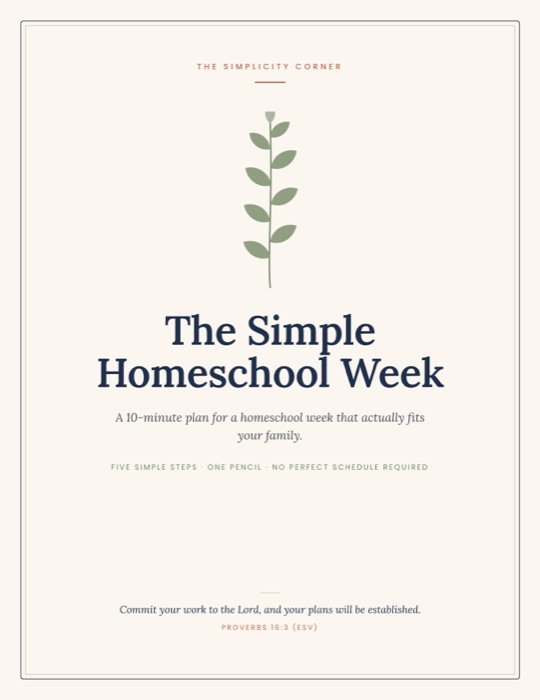 Free guide when you join: The Simple Homeschool Week
For todayYou know your children better than any curriculum does.
What makes it different
Two things no planner or curriculum does on its own.
A planner hands you an empty calendar. A curriculum hands you lessons. The Simplicity Corner App does the part in between: it fits the lessons into your real family, then helps you teach them.
A rhythm that fits
Your whole family's week, planned around real life.
- One plan for every child, not a stack of separate schedules
- Built around naps, little ones, and outside commitments
- Mom's teaching time rotated so no one waits all morning
Help inside the lesson
When a lesson gets stuck, help is already there.
- Teaching ideas for the lesson you're on, in the curriculum you already use
- "Not sticking?" ideas matched to what's going wrong
- Coaching tips built from what you've told the app about each child
Whole family planning
Your whole family, not just a subject list.
Homeschool happens inside a real home. Here is everything the app weighs before it plans a single day.
Take your time reading these. When you're ready, tap "Plan our day".
Rhythm
The eight factors are the ones the app plans around. The day shown is an example.
It starts with your family
The planning begins before you open the calendar.
Most planners begin with an empty schedule. The Simplicity Corner App begins with the people who will actually live it, through questions like these.
What is your family's one big goal this year?Your Family
How much direct teaching time can you realistically give most days?You as the Teacher
How long can Sam work independently right now?Your Children
What does Mae's nap schedule look like?Little Ones profile
What fear whispers loudest on hard days?Faith
Real questions from the app's Family Assessment
Family Blueprint
The Carter Family
A thoughtful starting point for your homeschool rhythm
Short lessons and something to hold
Work one example together before she tries alone
Her first hour, before she gets tired
Plans around you, too
Some weeks you have less to give. The plan knows that.
Before it builds your week, the app asks one honest question. Try it.
Honestly, how much do you have in you?
Real options from the app's weekly planning
A regular week. Every lesson in its place, at your normal pace.
A morning in your home
Teach one child. Everyone else knows what to do.
The Today screen shows who you're with right now and what everyone else is doing meanwhile. Drag through the morning.
Sam finished early, or isn't in the mood for copywork?
Tap his row and pick something else. The app asks one question:
Real labels from the app's Today screen. Meanwhile activities come from ideas you approve.
Help inside the lesson
The lesson isn't landing. You don't have to search tonight.
The app works alongside the supported curricula you already own. When a lesson stalls, tap "Not sticking?", say what's going wrong, and get ideas for this exact lesson. Try it.
Fractions isn't sticking
What's going on?
Teaching support for this week
- Teach it this wayA clear way in
- Extra practiceWhen it needs one more go
- Quick coaching tipFor this child
Ask for help
Using today's schoolwork
Coach Ella · For Mom only
- When Ella gets stuck
- What helps before frustration grows
- Suggested teaching approach
- A simple reset
Built from Ella's saved profile and assessment answers.
Real flow and labels from the app. The lesson and ideas shown are examples.
How it compares
Not another planner. Not another curriculum.
| A planner | Your curriculum | Simplicity | |
|---|---|---|---|
| Plans the week for you | ✕ | Lessons only | ✓ |
| One plan for every child at once | ✕ | ✕ | ✓ |
| Plans around naps and little ones | ✕ | ✕ | ✓ |
| Lighter plan when you're running on empty | ✕ | ✕ | ✓ |
| Ideas when a lesson isn't sticking | ✕ | Sometimes | ✓ |
| You review and approve every plan | ✓ | ✕ | ✓ |
Off the screen
Print the day for the fridge.
Your approved plan prints two ways: a Family Daily Chart that shows everyone, rotation by rotation, and a checklist for each child they can check off themselves.
The Carter Family | Monday
Family Daily Chart
School day · 8:30 AM to 1:30 PM
Monday, October 12 | Check each box as you go
| Rotation | Mom | Ella | Lucy | Sam | Mae |
|---|---|---|---|---|---|
| Rotation 18:30 AM to 9:00 AM | Teaching Language arts with Ella | With MomLanguage Arts lesson 6, parent supported boosterLanguage Arts lesson 6, parent led lesson | Working independently | Working independently | Little ones supportPainter's tape |
| Rotation 29:10 AM to 9:40 AM | Teaching Language arts with Lucy | Working independentlyLanguage Arts lesson 6, flexible reading | With MomLanguage Arts lesson 6, parent supported boosterLanguage Arts lesson 6, parent led lesson | Working independently | Little ones supportA basket of board books |
| Rotation 39:50 AM to 10:20 AM | Reset | Working independently | Working independentlyLanguage Arts lesson 6, flexible reading | Working independently | Little ones supportPainter's tape |
| Rotation 410:30 AM to 11:00 AM | Teaching Math with Ella | With MomMath lesson 6, parent led lesson | Working independently | In this block | Little ones supportA basket of board books |
| Rotation 511:10 AM to 11:40 AM | Teaching History with Lucy | Working independentlyMath lesson 6, independent review | With MomHistory lesson 7, parent led lesson | In this block | Little ones supportPainter's tape |
| Rotation 612:00 PM to 1:00 PM | Lunch | ||||
Monday | Page 1 of 1
The Carter Family | Monday
Ella's Checklist
School day · 8:30 AM to 1:30 PM
Monday, October 12 | Check each box as you go
Rotation 1 · 8:30 AM to 9:00 AM · With Mom
Rotation 2 · 9:10 AM to 9:40 AM · My work
Finished early? Choose an activity Mom has approved.
Rotation 4 · 10:30 AM to 11:00 AM · With Mom
Rotation 5 · 11:10 AM to 11:40 AM · My work
Finished early? Choose an activity Mom has approved.
Monday | Page 2 of 5
Real printouts from the app, shown with an example family. Tap the boxes to check them off.Prints on regular paper. Choose landscape for the family chart.
How it works
Four steps to a week that fits your family.
Tell us about your family
Complete a thoughtful Family Assessment about your children, priorities, capacity, schedule, homeschool approach, goals, and current season.
Add the curricula you use
Connect each child with the supported curricula they already use and show the app where they are in each program.
Receive your Family Blueprint
See how your children, learning needs, family capacity, priorities, and curriculum fit together.
Open a week planned for you
Review a realistic whole family plan, then move, shorten, combine, replace, or pause anything before approving it.
Parent led by design
The app does the planning. You bring the wisdom only a parent can.
Everything we create is designed to support your God given role, not replace it.
Tap to approve, like you will every week.
A word for today, from the app
A calm start matters more than a perfect one.
A new encouragement greets you every morningQuestions
App FAQs
What is The Simplicity Corner App?
The Simplicity Corner App is a homeschool planning and teaching support tool. It learns about your family through a Family Assessment, connects your children with the supported curricula you already use, creates a personalized Family Blueprint, generates a realistic whole family weekly plan, and gives you practical teaching support inside individual lessons.
How is this different from a homeschool planner?
A planner gives you an empty calendar and leaves the planning to you. The Simplicity Corner App creates the plan from the information you provide about your family, your children, your priorities, and your supported curricula, then hands it to you for review.
Does the app replace the parent as the teacher?
No. You remain your child's teacher and the final decision maker for your home. The app carries the planning work and offers teaching ideas so your attention can stay with your children.
How does the weekly plan work?
The app generates a realistic whole family week from your Family Blueprint and the supported curricula your children use, considering parent capacity, younger children, family rhythms, and outside commitments. You review the week and approve it.
What kind of teaching support is included?
Open an individual lesson to find a clear walkthrough of the concept, a different explanation when the first one is not landing, a hands on activity, and a quick way to check understanding and reinforce the learning.
Which curricula will be supported?
Only supported curricula will be available at launch, because each one is intentionally mapped so the app understands lesson order and pacing. The supported list will be published here as it grows.
Is this a complete homeschool curriculum?
No. The Simplicity Corner App is not a curriculum. It works alongside the supported curricula you have already chosen for your children.
Can I use it with multiple children?
Yes. Whole family planning is central to the design, and each child is considered individually inside one plan for your home.
Can I adjust the plan after it is created?
Yes. You can move, shorten, combine, replace, or pause anything in the plan before you approve it, and adjust as your week unfolds.
When will the app be available?
The app is still in development, so we are not announcing a date. Join the waitlist and you will be among the first to hear about launch updates and early access.
Join the waitlist
Your week planned. Your lessons supported. Your family understood.
Be among the first families to receive launch updates and early access information. The Simple Homeschool Week guide comes free when you join.
- The Simple Homeschool WeekA free 10 minute plan to use this week. In your inbox right away.
- 1Early access informationBe among the first to hear when spots open.
- ✉Launch updatesShort notes as the app grows. Unsubscribe anytime.
Simplicity Teaching Corner
Need resources you can use today?
Explore practical printables, planners, books, and Bible resources created to support your homeschool now.